

AI Voice
AI Receptionist for Your Business Phones
An AI receptionist answers your business calls in a natural voice, 24 hours a day. It books appointments, answers common questions and transfers callers to the right person on your team. CFBTEL sets it up on your phone system and supports it from Costa Mesa.
Harbor Dental
Example call, answered by the AI receptionist
AI agent: Thanks for calling Harbor Dental. This is the AI assistant. How can I help?
Caller: I need a cleaning next week. Mornings are best.
AI agent: Tuesday at 9:30 or Thursday at 10:00 are open. Which works for you?
Caller: Tuesday, please.
AI agent: You’re booked for Tuesday at 9:30. The details are on their way to your email.
What the agent did
- Checked the Microsoft 365 calendar
- Booked Tuesday, 9:30 AM
- Emailed a call summary to the front desk
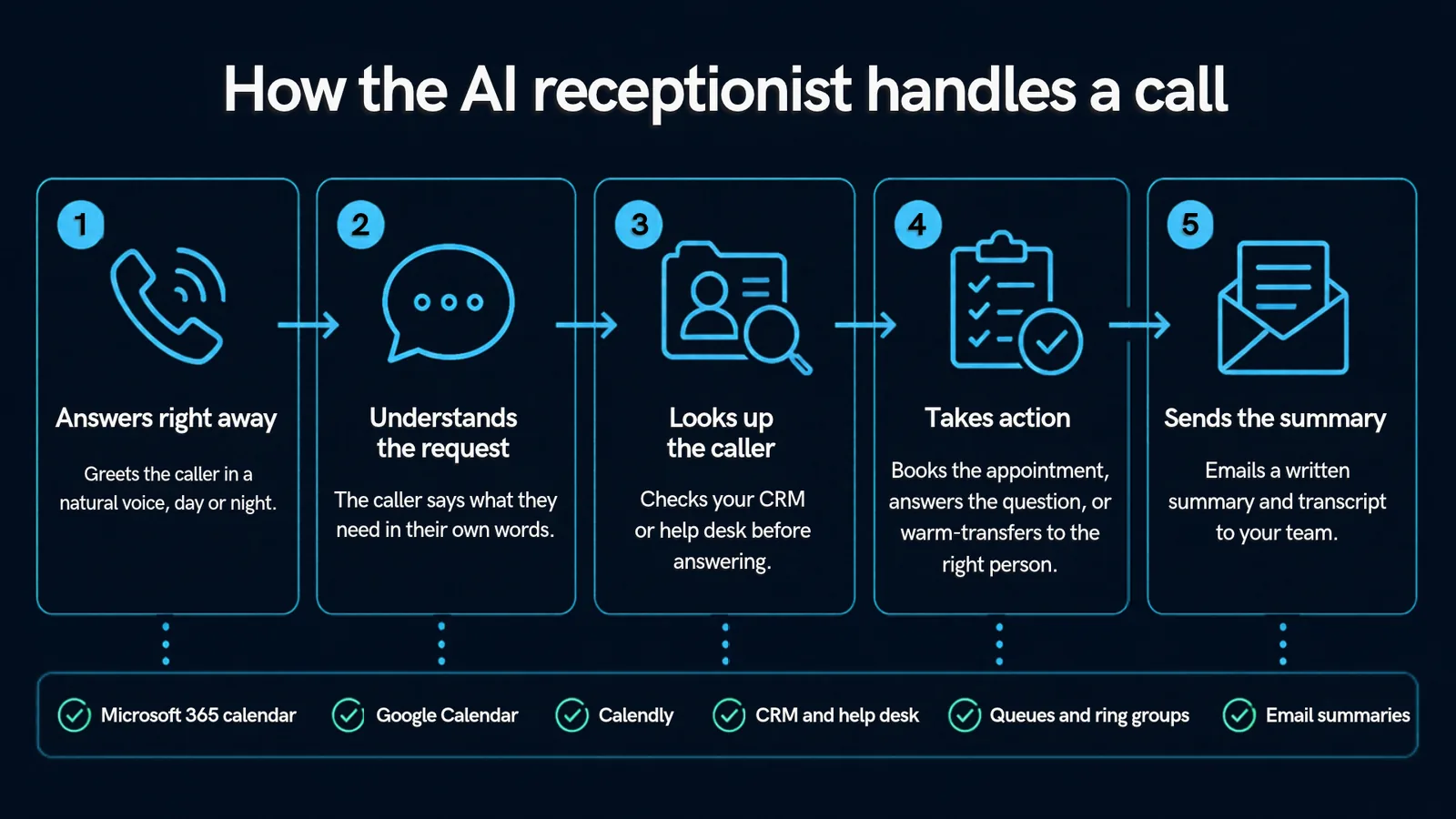
What the AI receptionist does on a call
It is an AI voice agent that holds a normal spoken conversation, answers from the information you give it, and takes action in your systems while the caller is still on the line.
Answers every call
Picks up on the first ring with a greeting you choose, so callers never hit a busy signal.
After-hours answering
Covers nights, weekends and holidays, takes the details and books what can be booked.
Appointment booking
Finds open times in Microsoft 365, Google Calendar or Calendly and books during the call.
Business FAQ answers
Answers questions about your hours, locations, services and policies from the information you approve.
Warm transfers
Checks that the person is free, tells them who is calling and why, then connects the caller.
English and Spanish
Holds the whole call in English or Spanish. Other languages depend on the voice you choose.
Lead capture and qualification
Asks your screening questions and records each new caller’s details for your sales team.
Message taking
Takes the caller’s name, number and message, and sends it to the right person for follow-up.
Reservation intake
Collects party size, date and time, then books the reservation through your system.
Text and email follow-ups
Sends booking details, links and next steps by text or email after the call.
Your greeting and voice
Choose the voice that represents your business and write how it introduces itself.
Urgent call escalation
Spots an urgent request and sends it straight to the right person, by your rules.
What happens when a call comes in

Appointment booked
Cleaning, Tuesday 9:30 AM
- Added to the Microsoft 365 calendar
- Confirmation emailed to the patient
An AI receptionist for a busy front desk
When your front desk is with a client, the AI receptionist answers the next call. Callers get help right away instead of a busy signal or a long hold.
- Books, moves and cancels appointments
- It works from the open times in your calendar, so nothing gets double-booked.
- Answers the questions you hear every day
- Hours, directions, parking, what to bring. You give it the answers, and it keeps to them.
- Hands the right calls to your staff
- Billing questions, urgent issues or anything you choose go straight to a person.

After-hours call, 9:42 PM
Water leak in the break room
- Caller’s name and number taken
- On-call manager alerted
After-hours answering that takes real details
Calls after closing get an answer too. The agent takes the details you need and decides, by your rules, whether the call can wait until morning.
- Urgent calls reach someone tonight
- It can alert the on-call phone, or transfer the call to whoever is on duty.
- Routine calls wait for the morning
- Messages and callback requests are in your inbox when the office opens.
- Every call is written down
- Each call comes with a summary and a transcript, so nobody has to listen back.
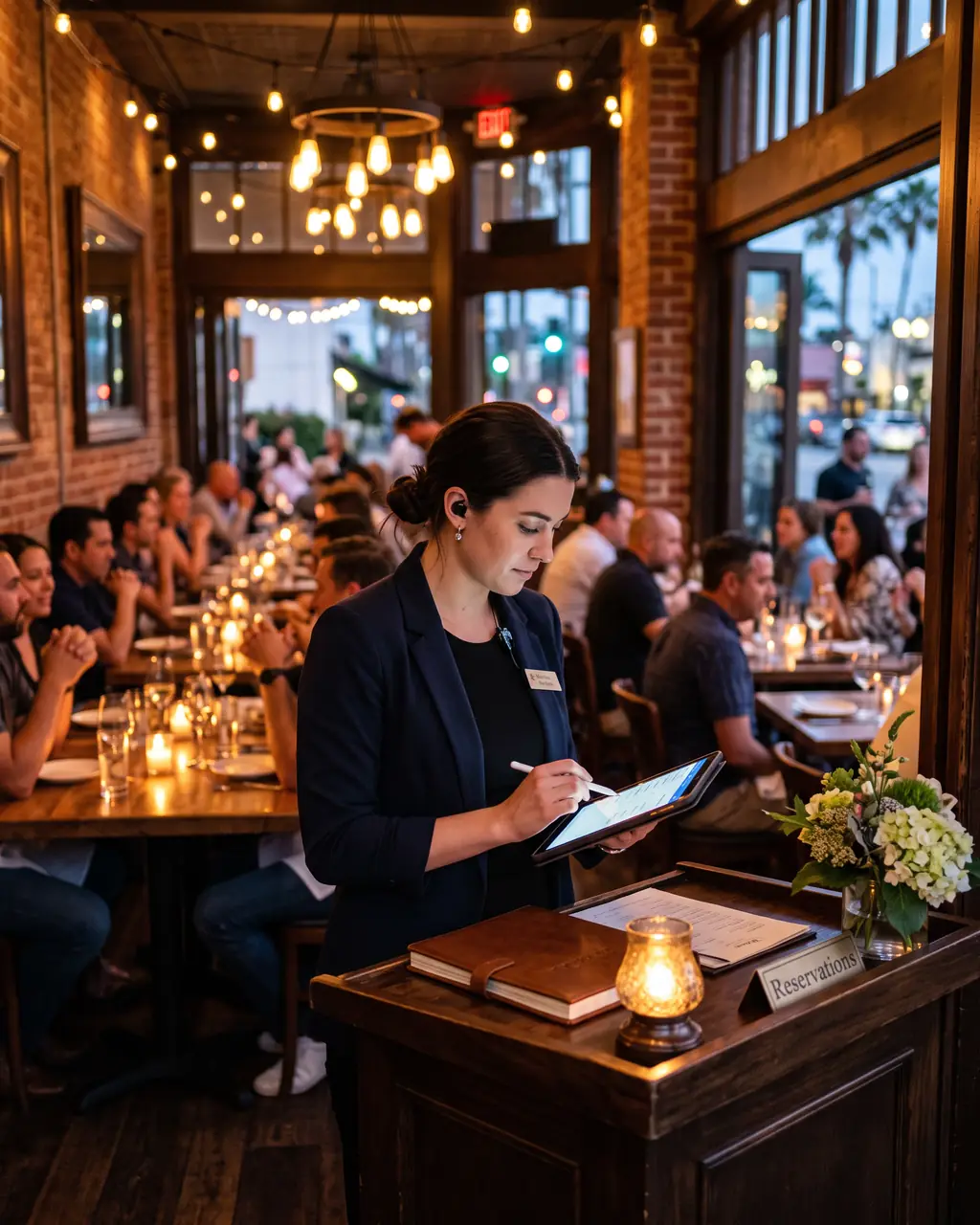
Reservation booked
Party of 4, Friday 7:30 PM
- Added to the reservation book
- Confirmation texted to the guest
Reservations and bookings during the dinner rush
Restaurants, salons and clinics get the most calls when staff are busiest. The AI receptionist takes the reservation so your host can stay with the guests in front of them.
- Takes the reservation
- Party size, date, time and a callback number, booked through your reservation system.
- Answers the usual questions
- Hours, parking, the menu and private events, from the information you approve.
- Confirms by text
- The guest gets the booking details by text right after the call.

New job request
Furnace not heating
- Address and callback number taken
- Visit booked for Thursday morning
Never miss a job while you’re on site
Contractors and field teams can’t always pick up. The agent answers while you work, takes the job details and sends them to your phone and inbox.
- Captures the job
- Name, address, callback number and what needs fixing, asked the same way every time.
- Books the visit
- It can offer open times from your calendar and book the one the caller picks.
- You decide what is urgent
- Emergencies can ring through to you, and the rest wait in your inbox.
A phone menu compared with an AI receptionist
Most business lines answer with a recorded menu. Here is how the same calls go with an AI receptionist.
| Call | Phone menu and voicemail | AI receptionist |
|---|---|---|
| How callers ask for help | Press a number on the keypad | Say what they need in their own words |
| After hours | A recording, then voicemail | Answers questions, takes details and books |
| Appointments | Someone calls back later to book | Booked during the call |
| Reaching a person | Transfer to an extension | Checks who is free, introduces the caller, then transfers |
| What your team gets | A voicemail recording | A written summary and transcript in your inbox |
You choose where calls are processed
The agent is built on AVA, an open-source AI voice agent for Asterisk and FreePBX. That lets you pick the AI behind each line and change it later without changing your phone system.
Cloud voices
Realtime voices from providers such as OpenAI, Google, Deepgram and ElevenLabs. They sound the most natural. Call audio is sent to the provider to process.
On servers we manage
Speech and language models run on servers CFBTEL manages, so call audio stays off outside AI services. A good fit for offices with strict privacy rules.
Mix and match
Pick separate services for listening, thinking and speaking, for example a local speech model with a cloud voice.
Works with your phone system and apps
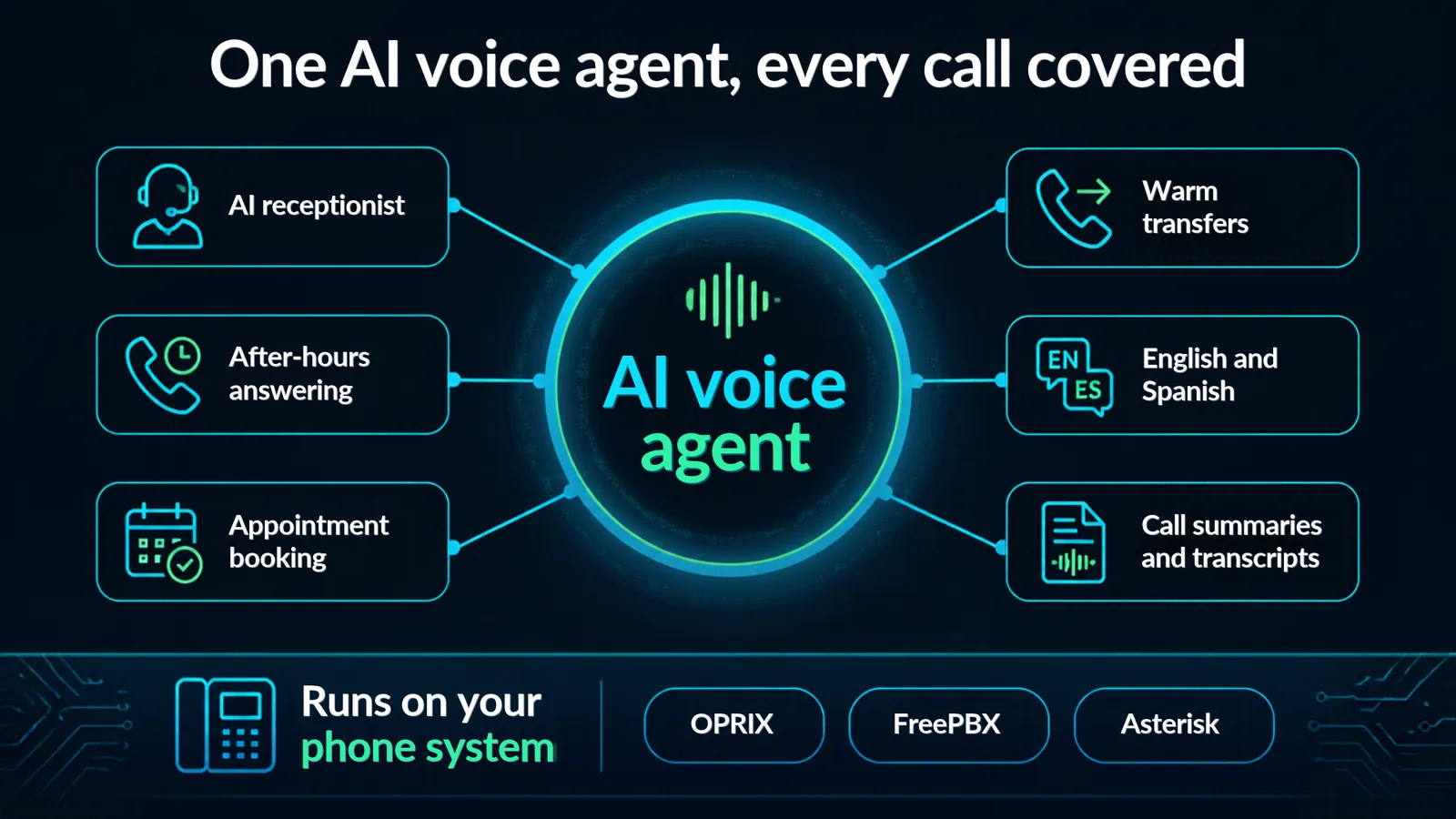
The agent runs on phone systems built on Asterisk, including FreePBX and OPRIX, so it answers on the numbers you already have. Pair it with a CFBTEL phone system or CRM telephone integration to put every call in one place.
- OPRIX
- FreePBX
- Asterisk
- Microsoft 365 calendar
- Microsoft Teams meetings
- Google Calendar
- Calendly
- Email summaries
- CRM and help desk lookups
- Webhooks
- Pushover alerts
- Queues and ring groups
How we set up your AI receptionist
- Step 1
Learn your calls
We look at who calls you, what they ask and which calls need a person.
- Step 2
Write the agent’s script
Greeting, answers, rules for transfers and what to do after hours, in your words.
- Step 3
Connect your systems
Calendar, CRM or help desk, extensions, queues and where summaries go.
- Step 4
Test calls with your team
Your staff call in, try to trip it up, and we adjust until it handles the calls well.
- Step 5
Go live and keep tuning
We watch the call history and improve the script as new questions come in.
FAQ
Questions we hear first
Related services
Contact CFBTEL
Book a free consultation with our Costa Mesa team
- 949-381-2525
- 3151 Airway Ave, Suite B2, Costa Mesa, CA 92626
Serving all of Orange County & Greater Los Angeles. - On-site staff: Mon-Fri 8:00am-7:00pm, Sat 8:00am-4:00pm
Remote support and infrastructure monitoring: 24/7